
Most golfers have three options when it comes to getting yardages on the golf course.
You’ve got a GPS watch.
A laser rangefinder.
Or you pull your phone out and use an app.
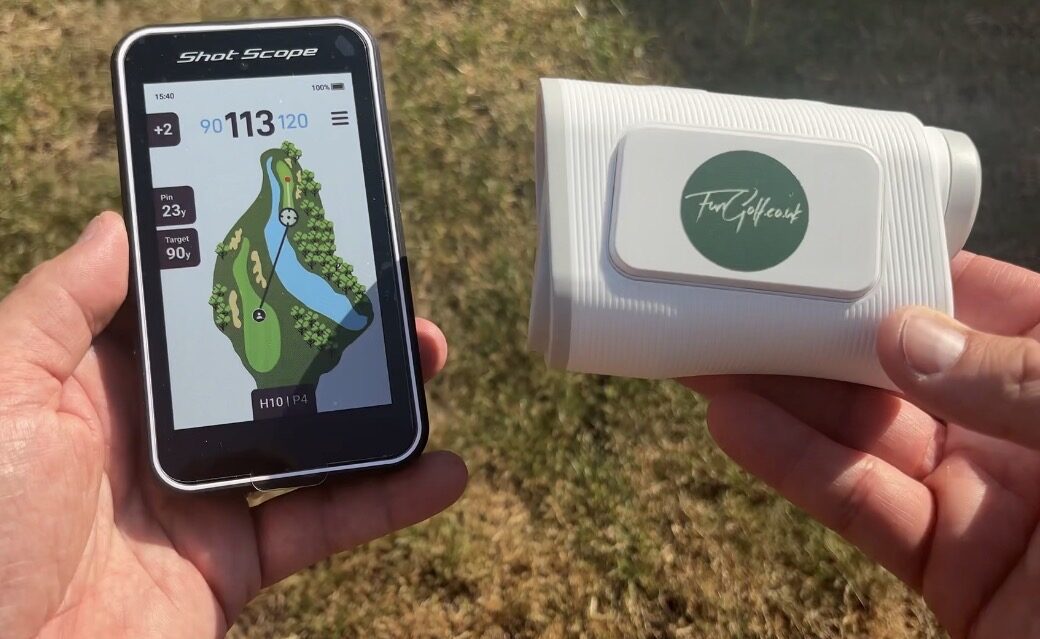
I’ve used all three over the years, and they all work. But they’ve all got their little annoyances too.
That’s why the new Shot Scope H50 caught my attention.
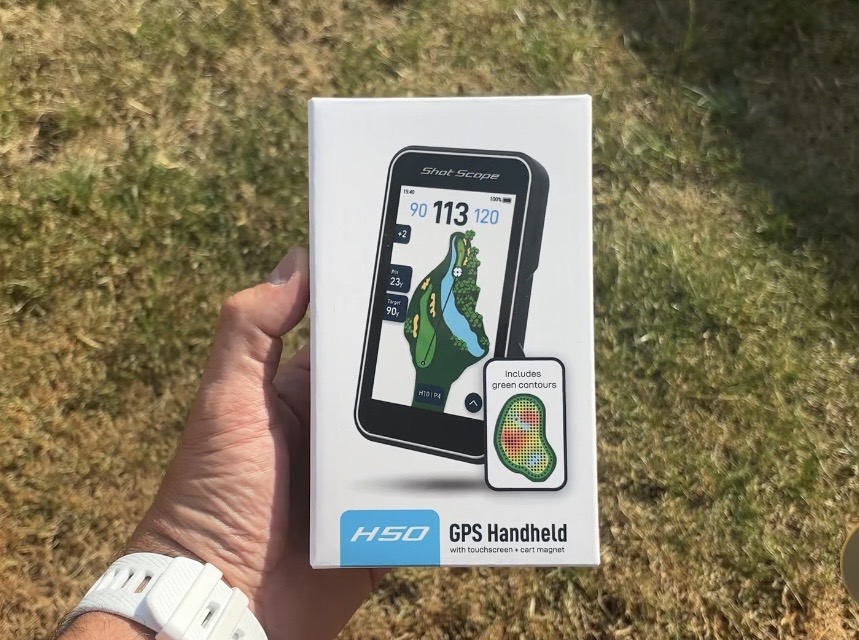
It’s basically a handheld golf GPS with a big touchscreen, full hole maps, green contours and loads of course-management information.
I’ve been testing the H50 over a few rounds now, and I think Shot Scope might have found a really interesting gap in the market.
So, is it actually better than using a watch or rangefinder?
Let’s get into it.
First Impressions of the Shot Scope H50
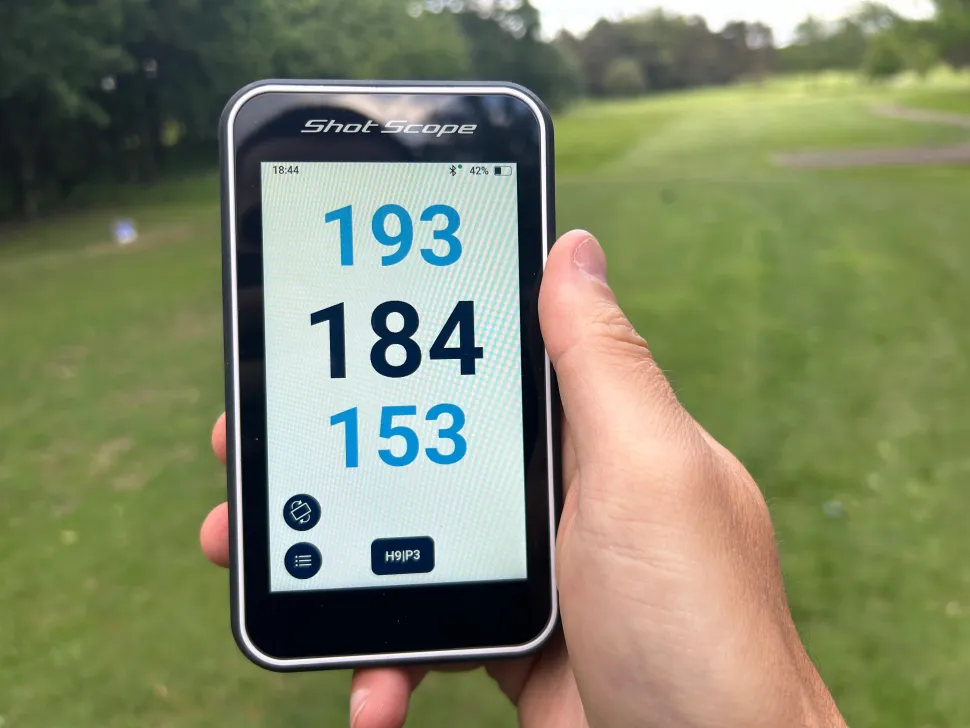
The first thing that struck me was the size of the screen.
It’s a 4.3-inch AMOLED touchscreen and, compared with trying to read information from a little GPS watch, it feels massive.
Bright.
Colourful.
Really easy to see outside.
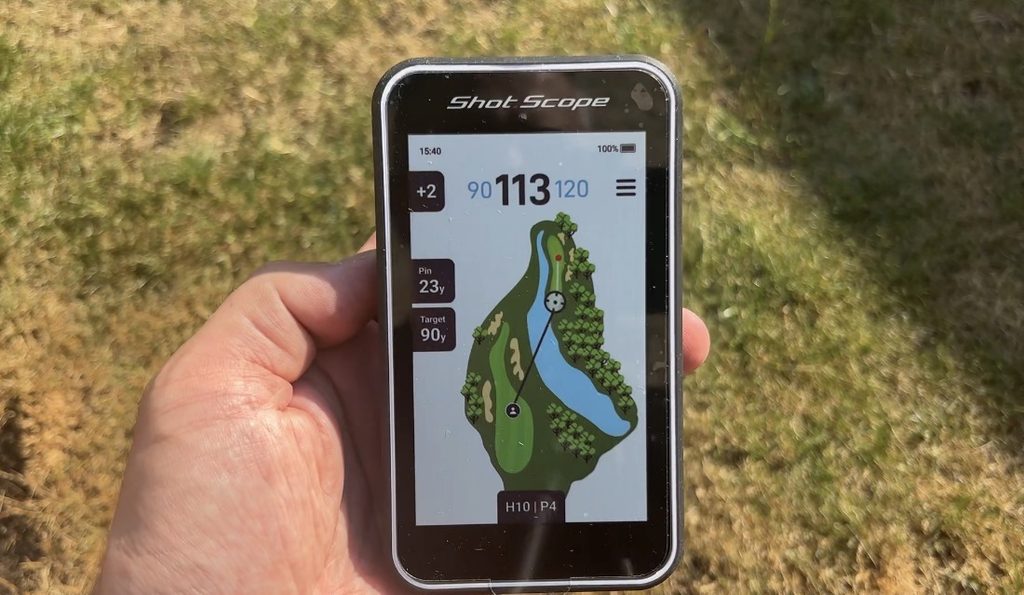
And because it works much like a smartphone, there’s almost no learning curve.
You swipe around the screen, zoom in on the hole and tap wherever you want.
Within a few minutes I was using it without really thinking about it.
That’s a big positive for me.
I’ve tested plenty of golf technology through Fun Golf over the years, and one thing that kills a product quickly is when it makes something simple unnecessarily complicated.
The H50 doesn’t.
What Golf Device Do You Need?
That Built-In Magnet Is Brilliant
This sounds like a small feature, but I really liked it.
There’s a strong magnet built into the H50.
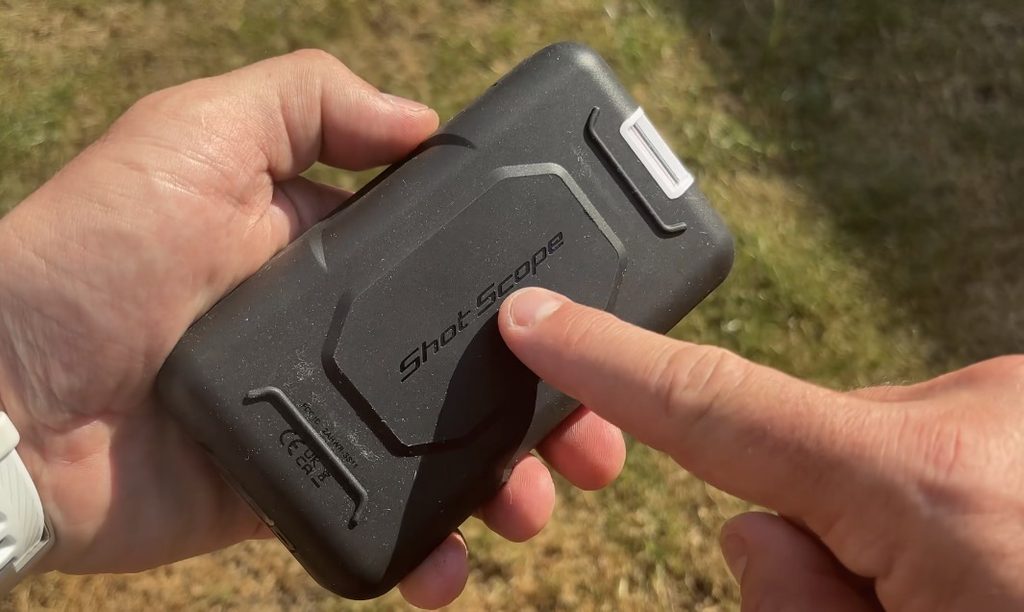
If you’re using a golf buggy, you can just stick it onto the frame beside you.
No case.
No holder.
No digging through your bag every time you get to the ball.
It stays right there.
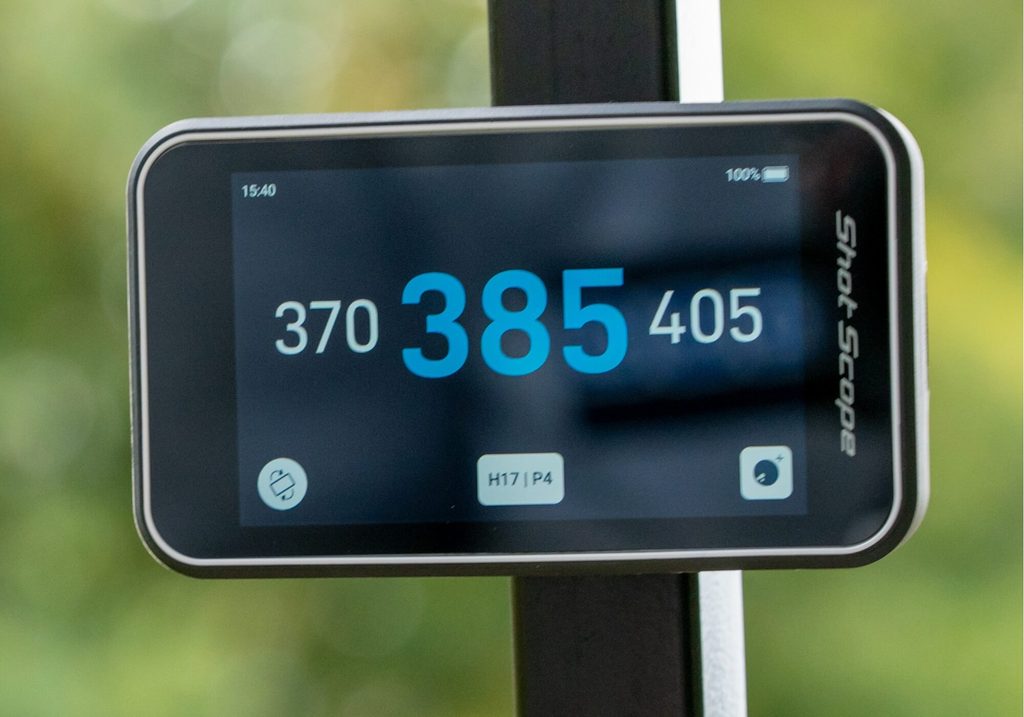
Shot Scope also claims more than 15 hours of battery life, so you should comfortably get through a full round and potentially 36 holes without worrying about charging it.
Shot Scope PRO L5
Full Golf Course Maps
This is where the H50 starts to become much more interesting than a basic golf GPS.
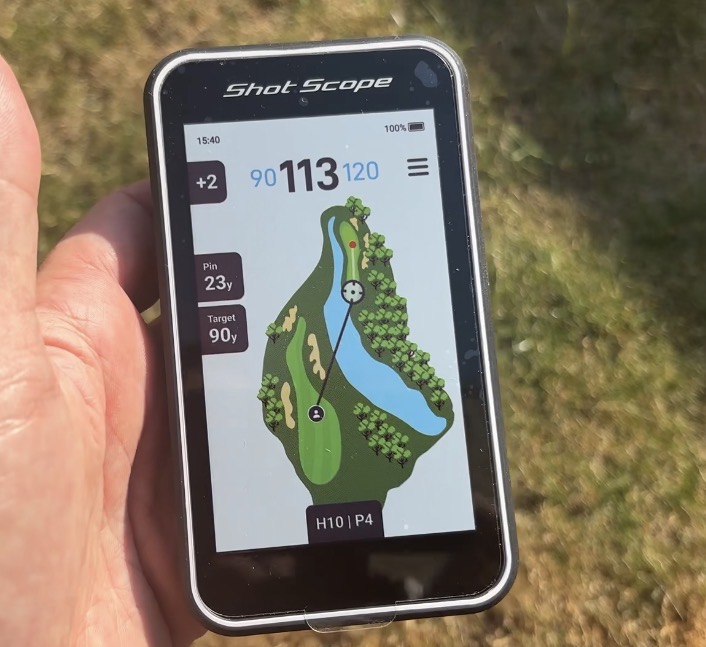
There are more than 42,000 golf courses preloaded onto the device, and you’re not simply getting front, middle and back distances.
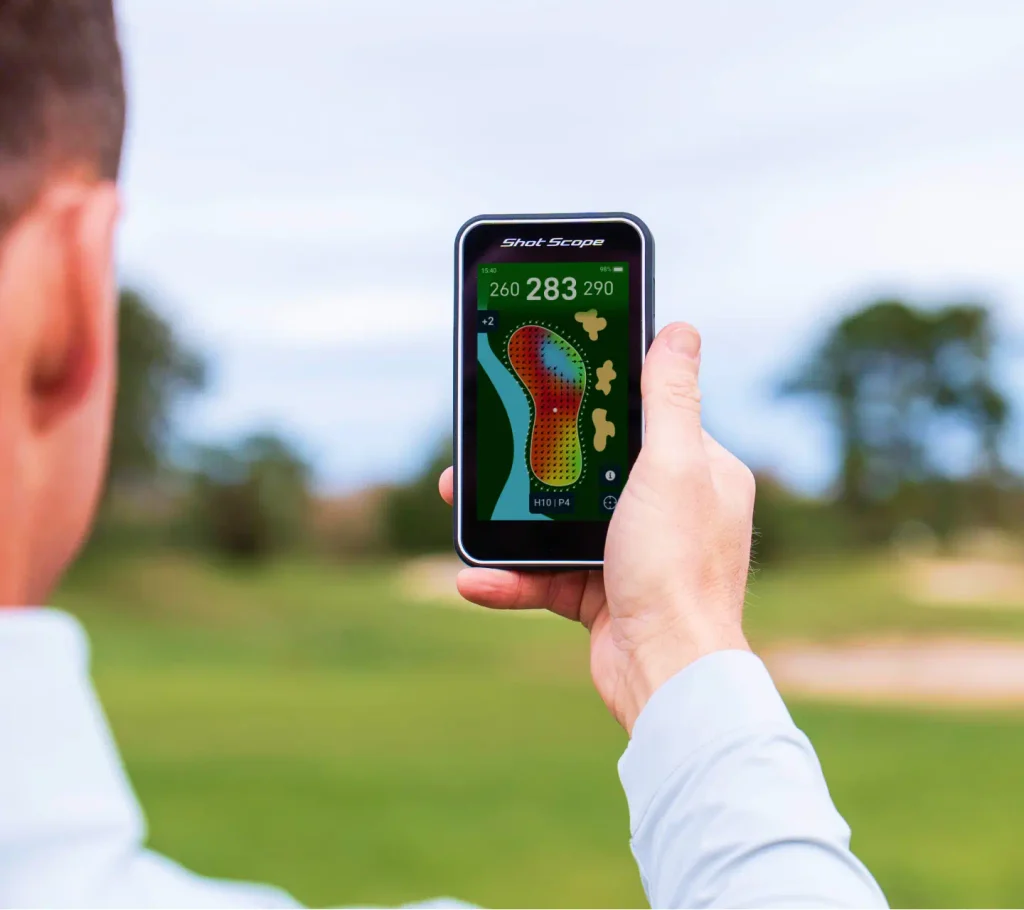
You can see the actual hole.
The fairway shape.
Bunkers.
Water hazards.
Doglegs.
Lay-up areas.
Pretty much everything you’d want to know before deciding what shot to hit.
And this changed the way I played more than I expected.
Normally you might stand on a tee and think:
“How far is it to the green?”
With the H50, I started thinking:
“Where do I actually want the ball to finish?”
That might sound like a small difference, but it completely changes your approach to course management.
You can tap a point on the fairway and immediately see how far away it is.
So instead of automatically pulling driver, you might suddenly realise that 210 yards leaves you in the perfect position.
For golfers who like thinking their way around a golf course, I think this is one of the biggest reasons to buy it.
Plays Like Distances
Another feature I used more than I expected was the Plays Like distance.
Instead of only showing the straight-line yardage, the H50 GPS device takes elevation into consideration as well.
So imagine the flag is 160 yards away.
If it’s significantly uphill, the device might effectively tell you that the shot is playing longer.
Obviously it can’t make every decision for you.
You’ve still got wind.
Temperature.
How well you’re swinging that day.
Whether you’ve just chunked three irons in a row…
But taking elevation out of the equation does make club selection easier.
I’ve been playing golf for more than 30 years, and I still think golfers underestimate how much elevation can affect a shot.
Having that information immediately available is really useful.
The Green Contour Maps Might Be My Favourite Feature
This was probably the feature that interested me most.
Green contour maps.
And before anyone gets excited, no, the H50 isn’t going to magically read every putt for you.
You still have to do some work.
What it does do is show you the general shape and slopes of the green.
You can see which sections are higher.
Where the obvious slopes are.
And where the golf ball is likely to feed once it lands.
The clever part is that this isn’t only useful when you’re putting.
It can help with your approach shots too.
Instead of just firing at the centre of the green, you can start thinking about where you actually want the ball to land.
Maybe one side of the green feeds towards the flag.
Maybe there’s a slope behind the hole you absolutely don’t want to be putting down.
That extra information can genuinely influence your strategy.
And importantly, the green contour maps are included.
There’s no extra subscription required for them.
I really like that.
What’s the Shot Scope H50 Like on the Golf Course?
This is where any GPS device ultimately lives or dies.
It can have 100 clever features, but if you’re standing over your ball waiting for it to update, you’ll stop using it pretty quickly.
Thankfully, I didn’t have that problem.
GPS connected quickly during my testing.
Distances changed almost instantly as I moved around the course.
And the touchscreen remained simple to use.
I also liked being able to move the pin position around the green.
If you know the flag is tucked towards the back-left rather than sitting somewhere near the middle, you can reposition it and get a more useful yardage.
Again, it encouraged me to think about the actual shot rather than simply looking at one number.
That’s probably the biggest compliment I can give the H50.
It made me think more.
Other Shot Scope H50 Features
There’s quite a lot packed into this thing.
Some of the features include:
- 4.3-inch AMOLED touchscreen
- More than 42,000 preloaded golf courses
- Full-colour hole maps
- Green contour maps
- Plays Like distances
- Adjustable pin locations
- Built-in magnetic mount
- Digital scorecard
- Multiplayer scoring for up to four golfers
- Portrait and landscape modes
- Large digit display
- Yards or metres
- IPX7 water resistance
- More than 15 hours of claimed battery life
- Manual shot tracking
- Access to more than 100 statistics through the Shot Scope app
The water resistance is particularly handy if you play most of your golf in the UK.
A little bit of British rain is almost guaranteed eventually.
What About Shot Tracking?
There is one compromise worth knowing about.
The H50 can track shots, but it’s manual.
You record shots during your round and can then look through your performance afterwards inside the Shot Scope app.
There are loads of statistics available.
But if you’re already using Shot Scope CONNEX tags, those don’t connect to the H50.

That’s worth highlighting because Shot Scope’s watches can offer a more automated experience when it comes to tracking your game.
Personally, I think this comes down to what you actually want from the device.
If statistics and automatic shot tracking are your number-one priority, one of Shot Scope’s watches may still make more sense.
If you mainly want detailed GPS information and course management, I think the H50 becomes much more appealing.
Shot Scope H50 vs GPS Watch
Would I buy an H50 if I already had a GPS watch I loved?
Probably not.
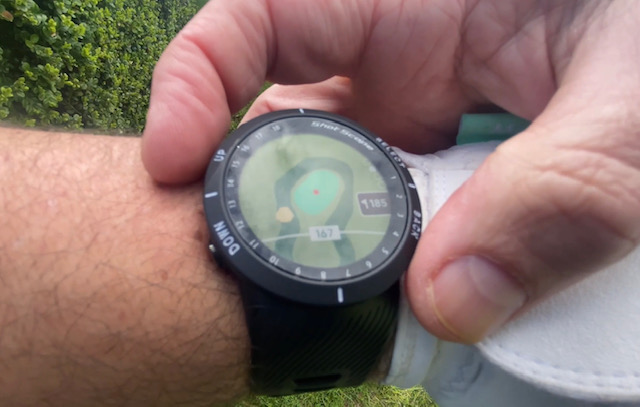
A watch is still ridiculously convenient.
You look at your wrist.
There’s your number.
Done.

But you are limited by the size of the screen.
The H50 gives you far more visual information.
You can actually see the hole properly, identify hazards and decide exactly where you want to hit the ball.
So I’d look at it this way.
A GPS watch gives you information quickly.
The H50 helps you plan.
There’s a difference.
Shot Scope H50 vs Laser Rangefinder

This is another interesting comparison.
I really like laser rangefinders, the Shot Scope Pro L5 is a particular favorite of mine!
They’re accurate, quick and brilliant when you want an exact distance to the flag.
But they only tell you what you point them at.
A laser doesn’t really tell you what’s around the corner.
It doesn’t show the shape of the hole.
It doesn’t immediately show you that there’s water beyond a bunker.
And it certainly doesn’t show you green contours.
So once again, I don’t think the H50 is necessarily trying to beat a laser at its own game.
It’s giving you different information.
A laser answers:
“How far away is that?”
The H50 answers:
“How should I play this hole?”
It becomes a device which can definatley improve your game.
Who Should Buy the Shot Scope H50?
I think there are a few golfers who are going to really like this.
First, anyone who doesn’t like wearing a GPS watch while playing.
I know plenty of golfers who just don’t want anything on their wrist during their swing.
Secondly, golfers who are currently using their phone for GPS.
For me, this is a much better solution.
There’s no constantly unlocking your phone, dealing with notifications or worrying about smashing your expensive smartphone when you throw the golf bag into the car afterwards.
And finally, it’s for golfers who enjoy course management.
If you’re the type of golfer who thinks about where the next shot is coming from rather than just firing at every flag, you’re going to get far more from the H50 than someone who only wants a simple yardage.

My Verdict
After actually using the Shot Scope H50 on the course, I think Shot Scope have found a really interesting niche.
It gives you far more information than a normal GPS watch.
It’s much quicker and more convenient than constantly pulling out your phone.
And it gives you a completely different type of information to a laser rangefinder.
Would everybody need one?
No.
If you love your GPS watch and only want quick front, middle and back distances, stick with it.
But if you want to actually see the hole and start planning your way around the golf course, the H50 makes a lot of sense.
I found myself thinking about where I wanted my golf ball to finish rather than simply how far I was from the green.
And I genuinely think that can help golfers make better decisions.
Save 10% on the Shot Scope H50
If you decide the H50 is for you, you can use my discount code FUNGOLF to save 10% when buying from Shot Scope.
And if you’re interested in more golf equipment reviews, golf-ball testing and my slightly unhealthy obsession with cutting golf balls open, have a look at my YouTube channel upclosegolf.
You can also grab some UpCloseGolf gear from the UpCloseGolf merch store.
And if choosing a golf ball has become ridiculously confusing, you can also sign up for my free golf ball buying guide.
I’d also love to know what you think.
Would you rather use a GPS watch, a laser rangefinder, or something like the Shot Scope H50?
Let me know in the comments.
About the Author

Craig is the creator of UpCloseGolf, where he’s personally cut open and reviewed more than 300 golf balls to help everyday golfers choose the right ball for their game.
He’s been playing golf for more than 30 years and previously worked at one of the UK’s top-ranked golf courses. He also runs Fun Golf, a top-ranked UK golf blog, and is an Amazon best-selling golf author.
Suggested image alt description: Shot Scope H50 handheld golf GPS being used on a golf course showing a full-colour hole map and yardages